The Platform
DuraTraq connects your existing systems to the field. Where your CMMS or EAM falls short — video, field reporting, tribal knowledge — DuraTraq fills the gap.
At the Asset
A technician, contractor, or inspector scans the QR tag with their phone. The asset profile opens in the browser with data pulled from your existing systems. No app, no CMMS login. You decide what's public and what requires authentication — per asset.
Your data, at the equipment
Asset ID, location, documents, work history — pulled from your CMMS or EAM and displayed on the tech's phone. The information already exists. DuraTraq puts it where the work happens.
Fill the gaps
Most CMMS platforms don't handle video, aren't accessible without a login, or don't make it easy to capture knowledge in the field. DuraTraq supplements what your current system doesn't cover — how-to videos, install photos, condition records, notes from experienced techs.
Report from the field
Defects, maintenance activities, condition observations — logged at the asset with context already attached. Information flows back into the system instead of getting lost between the field and the office.
See it yourself
Scan this tag with your phone to see a demo asset profile — the same view a technician gets in the field.
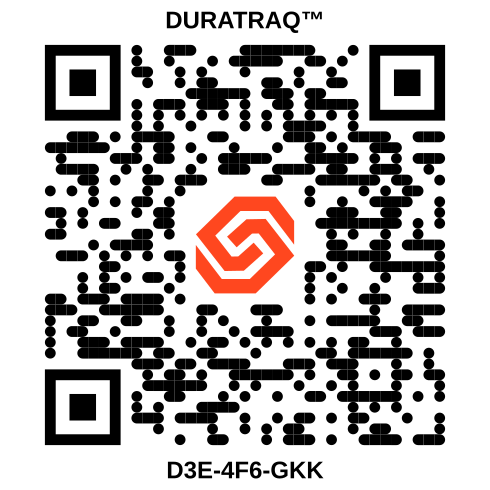 Asset D3E-4F6-GKK
 Administration
Configure what's visible, who can see it, and how DuraTraq connects to your existing systems. Designed for a workstation, accessible from any browser.
Connect your systems
DuraTraq integrates with your CMMS or EAM — Maximo, SAP PM, eMaint, Fiix, or others. Your asset data, documents, and work history flow through to the field. No data migration. No parallel database.
Control access
Set each asset to public or require login. Open some profiles to anyone with the tag — contractors, inspectors — and restrict others to your team. Time-limited access available.
See the admin view
Browse the demo dashboard — manage assets, upload documents, configure access controls.
Open the DemoFrequently Asked Questions
Does DuraTraq replace my CMMS?
No. DuraTraq is designed to complement your existing CMMS or EAM — Maximo, SAP PM, eMaint, Fiix, or others. It connects your system data to the field via QR scan and supplements it with capabilities most CMMS platforms don't provide at the asset, like video, photos, and tribal knowledge capture.
Do field technicians need to download an app?
No. Technicians scan the QR tag with their phone's built-in camera. The asset profile opens directly in the browser. No app, no login required for public profiles.
Can I control who sees what on each asset?
Yes. Each asset can be set to public (anyone with the tag can view) or protected (login required). You can grant time-limited access to contractors or inspectors and restrict sensitive information to your team.
What happens to my data if I stop using DuraTraq?
Your facility owns the tags. The QR codes can be redirected to any URL — your CMMS, a SharePoint page, or another system. No re-tagging required. Your data is always exportable.
How does DuraTraq integrate with my CMMS or EAM?
DuraTraq connects via API to pull asset data, documents, and work history from your existing system and display it at the asset. Integration is configured per customer based on the CMMS platform and available API access.